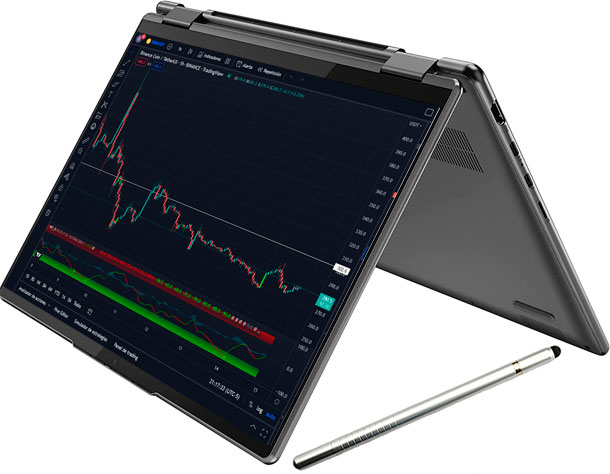
The Best Laptop for Trading: A Comprehensive Guide for 2024
In the fast-paced world of financial markets, having the right tools can make all the difference. For traders, a reliable and efficient laptop is not just a convenience; it’s a necessity. The best laptop for trading can provide the speed, processing power, and stability needed to execute trades quickly and monitor market movements in real-time. This guide will explore the key features to look for when choosing a best laptop for trading, and provide recommendations for the top models available in 2024.
Why a Good Laptop Matters for Trading
Trading involves analyzing vast amounts of data, running complex algorithms, and executing trades with minimal delay. A subpar laptop can lead to missed opportunities, slow execution, and even system crashes, all of which can translate to significant financial losses. A best laptop for trading will offer:
- Speed and Performance: Quick processing for real-time data analysis.
- Reliability: Consistent performance without crashes or slowdowns.
- Multi-Tasking Capabilities: Ability to run multiple trading platforms and applications simultaneously.
- Portability: Flexibility to trade from anywhere with a stable internet connection.
Key Features to Consider When Choosing the Best Laptop for Trading
Selecting the best laptop for trading involves carefully considering several key features. Here’s what to look for:
Processor (CPU)
The processor is the brain of your laptop, and it’s crucial for handling complex calculations and running multiple applications. Look for laptops with Intel Core i5, i7, or i9 processors, or their AMD Ryzen equivalents (Ryzen 5, 7, or 9). The higher the number of cores and threads, the better the performance, especially when running multiple trading platforms and charting software.
Random Access Memory (RAM)
RAM allows your laptop to handle multiple tasks simultaneously without slowing down. For trading, a minimum of 16GB of RAM is recommended. However, 32GB is preferable if you plan to run resource-intensive applications or multiple monitors. More RAM ensures smoother performance and prevents lag during critical trading moments.
Storage
A Solid State Drive (SSD) is essential for fast boot times and quick loading of applications. Opt for a laptop with at least 256GB SSD, but 512GB or 1TB is better for storing large amounts of data and software. Avoid traditional Hard Disk Drives (HDDs) as they are significantly slower.
Display
The display is your window into the financial markets. A high-resolution display with good color accuracy is crucial for analyzing charts and monitoring market data. Look for laptops with a Full HD (1920×1080) or higher resolution display. Consider an external monitor for extended screen real estate, which is beneficial for traders who need to monitor multiple charts and data streams simultaneously. [See also: Best External Monitors for Day Trading]
Graphics Card (GPU)
While a dedicated graphics card isn’t always necessary for trading, it can significantly improve performance, especially if you’re using advanced charting software or running multiple monitors. A dedicated GPU like NVIDIA GeForce or AMD Radeon can handle graphical tasks more efficiently, freeing up the CPU for other calculations.
Battery Life
Battery life is essential for traders who need to trade on the go. Look for laptops with a battery life of at least 6-8 hours to ensure you can trade without being tethered to a power outlet. Consider carrying a portable charger for emergencies.
Connectivity
Reliable connectivity is crucial for trading. Ensure the laptop has multiple USB ports (including USB-C), an HDMI port for connecting to external monitors, and a fast and stable Wi-Fi connection. An Ethernet port is also beneficial for a wired connection, which can be more stable than Wi-Fi. Check for Bluetooth capabilities to connect wireless accessories.
Operating System
The operating system (OS) should be stable and compatible with your trading software. Windows and macOS are the most popular choices. Windows offers a wider range of trading software compatibility, while macOS is known for its stability and user-friendliness. Choose the OS that best suits your trading needs and preferences.
Top Laptop Recommendations for Trading in 2024
Based on the key features discussed above, here are some of the best laptops for trading in 2024:
Apple MacBook Pro (14-inch or 16-inch)
The MacBook Pro is a top choice for traders who value performance, reliability, and a sleek design. Powered by Apple’s M-series chips (M2 Pro or M2 Max), these laptops offer exceptional processing power and long battery life. The Retina display provides excellent color accuracy and clarity, making it ideal for analyzing charts. The macOS ecosystem is also known for its stability and security. This is undoubtedly one of the best laptops for trading if budget allows.
Dell XPS 15 or XPS 17
The Dell XPS series is known for its premium build quality, powerful performance, and stunning display. Equipped with Intel Core i7 or i9 processors and dedicated NVIDIA GeForce graphics, these laptops can handle even the most demanding trading tasks. The InfinityEdge display offers a near-borderless viewing experience, making it ideal for multi-monitor setups. Dell laptops are a good choice as a best laptop for trading.
HP Spectre x360
The HP Spectre x360 is a versatile 2-in-1 laptop that offers a blend of performance, portability, and style. Powered by Intel Core i5 or i7 processors, it provides enough processing power for most trading tasks. The touchscreen display and convertible design make it easy to switch between laptop and tablet mode, offering flexibility for different trading scenarios. The HP Spectre x360 is a very portable contender for the title of best laptop for trading.
Lenovo ThinkPad X1 Carbon
The Lenovo ThinkPad X1 Carbon is a durable and reliable laptop designed for professionals. Known for its rugged build quality and excellent keyboard, it’s a great choice for traders who need a laptop that can withstand the rigors of daily use. Powered by Intel Core i5 or i7 processors, it provides enough processing power for most trading tasks. The ThinkPad X1 Carbon is considered by many to be the best laptop for trading when robustness is paramount.
Microsoft Surface Laptop Studio
The Microsoft Surface Laptop Studio is a unique and innovative laptop that offers a blend of performance and creativity. With its dynamic woven hinge, it can transform from a traditional laptop to a stage or studio mode, providing flexibility for different trading scenarios. Powered by Intel Core i5 or i7 processors and dedicated NVIDIA GeForce graphics, it can handle demanding trading tasks with ease. The Surface Laptop Studio is a solid option as a best laptop for trading, especially if you appreciate innovative design.
Setting Up Your Trading Laptop
Once you’ve chosen the best laptop for trading, it’s important to set it up properly to optimize performance and security. Here are some tips:
- Install Trading Software: Download and install your preferred trading platforms and charting software.
- Optimize System Settings: Adjust power settings to maximize performance and battery life. Disable unnecessary background processes to free up system resources.
- Secure Your Laptop: Install antivirus software and enable a firewall to protect against cyber threats. Use strong passwords and enable two-factor authentication for added security.
- Backup Your Data: Regularly back up your trading data and settings to an external drive or cloud storage.
- Monitor Performance: Use system monitoring tools to track CPU usage, RAM usage, and disk activity. Identify and resolve any performance bottlenecks.
The Importance of a Reliable Internet Connection
Even the best laptop for trading is useless without a reliable internet connection. A stable and fast internet connection is crucial for receiving real-time market data and executing trades quickly. Consider using a wired Ethernet connection for maximum stability. If you’re trading wirelessly, ensure you have a strong Wi-Fi signal and a reliable router. [See also: Setting Up a Home Trading Station]
Conclusion
Choosing the best laptop for trading is a crucial investment for any serious trader. By considering the key features discussed in this guide and selecting a laptop that meets your specific needs, you can significantly improve your trading performance and reduce the risk of technical issues. Remember to prioritize speed, reliability, and multi-tasking capabilities when making your decision. With the right laptop, you’ll be well-equipped to navigate the dynamic world of financial markets and capitalize on trading opportunities.
Investing in the best laptop for trading is not just about hardware; it’s about investing in your success as a trader. Make an informed decision, and you’ll be well on your way to achieving your financial goals.
A reliable machine is the foundation upon which successful trading strategies are built. So, take your time, do your research, and choose wisely. The best laptop for trading is waiting for you.
