The Best Laptop for Trading: A Comprehensive Guide for 2024
In the fast-paced world of financial markets, having the right tools can make all the difference. For traders, a reliable and powerful laptop is essential for monitoring market trends, executing trades, and staying connected to the global financial network. Selecting the best laptop for trading requires careful consideration of several factors, including processing power, memory, screen size, portability, and battery life. This guide will explore the key features to look for and recommend some of the top laptops currently available for traders in 2024.
Key Considerations When Choosing a Trading Laptop
Before diving into specific laptop recommendations, it’s crucial to understand the key factors that contribute to a smooth and efficient trading experience. A well-chosen laptop can significantly enhance your ability to analyze data, react quickly to market changes, and ultimately, improve your trading performance.
Processing Power
The processor, or CPU, is the brain of your laptop. For trading, you need a processor that can handle multiple applications running simultaneously without slowing down. Look for laptops with Intel Core i5, i7, or i9 processors, or AMD Ryzen 5, 7, or 9 processors. These processors offer the speed and efficiency needed for complex calculations and real-time data analysis. The best laptop for trading will often have a high-end processor.
Memory (RAM)
Random Access Memory (RAM) is crucial for multitasking. Trading platforms often require running multiple charts, news feeds, and trading tools concurrently. A minimum of 16GB of RAM is recommended, but 32GB is ideal for more demanding traders who use advanced analytics software or run virtual machines. Insufficient RAM can lead to lag and slow performance, which can be detrimental when making quick trading decisions.
Storage
Solid State Drives (SSDs) are essential for fast boot times and quick access to data. Opt for a laptop with an SSD of at least 256GB, but 512GB or 1TB is preferable if you plan to store large amounts of data, such as historical market data or trading journals. SSDs are significantly faster than traditional Hard Disk Drives (HDDs), resulting in a more responsive and efficient trading experience. The best laptop for trading will always prioritize SSD storage.
Display Quality
A high-quality display is crucial for viewing charts, graphs, and market data. Look for a laptop with a Full HD (1920×1080) or higher resolution display. IPS (In-Plane Switching) panels offer better color accuracy and wider viewing angles, which are important for analyzing visual data. Consider the screen size as well; a 15-inch or 17-inch display provides ample screen real estate for multitasking. Some traders even prefer connecting multiple external monitors for an even more comprehensive view of the markets.
Graphics Card
While a dedicated graphics card isn’t strictly necessary for most trading activities, it can be beneficial if you use advanced charting software or perform complex data visualizations. A dedicated GPU can also improve the overall responsiveness of your laptop, especially when running multiple applications simultaneously. Look for laptops with NVIDIA GeForce or AMD Radeon graphics cards if you require enhanced graphics performance. The best laptop for trading for visually intensive tasks will have a strong graphics card.
Portability and Battery Life
If you trade on the go or travel frequently, portability and battery life are important considerations. Look for a laptop that is lightweight and has a long battery life. A battery life of 6-8 hours or more is ideal for traders who need to stay connected while away from a power source. Consider the trade-off between portability and screen size; a smaller laptop may be more portable, but a larger screen can be more comfortable for extended trading sessions.
Connectivity
Reliable connectivity is essential for staying connected to the markets. Look for a laptop with fast Wi-Fi and a variety of ports, including USB-A, USB-C, HDMI, and Ethernet. An Ethernet port is particularly useful for connecting to a wired network, which can provide a more stable and reliable internet connection than Wi-Fi. Consider laptops with Thunderbolt ports for connecting to high-speed external devices, such as external monitors or storage devices.
Top Laptop Recommendations for Trading in 2024
Based on the key considerations outlined above, here are some of the top laptop recommendations for traders in 2024. These laptops offer a combination of power, performance, and portability, making them ideal for both professional and amateur traders.
Apple MacBook Pro (14-inch or 16-inch)
The Apple MacBook Pro is a popular choice among traders due to its powerful M-series chips, stunning Retina displays, and long battery life. The M2 Pro and M2 Max chips offer exceptional performance for demanding tasks, such as running multiple trading platforms and analyzing large datasets. The MacBook Pro’s build quality is also excellent, making it a durable and reliable choice for traders who are constantly on the move. The best laptop for trading for Mac enthusiasts is undoubtedly the MacBook Pro. [See also: MacBook Pro M2 Review]
Dell XPS 15 or XPS 17
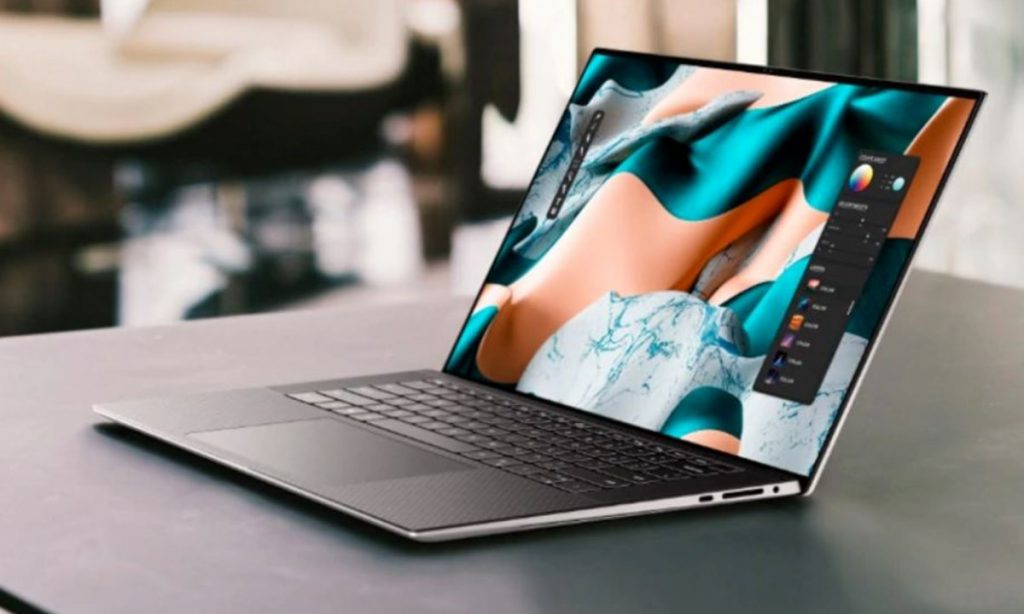
The Dell XPS series is known for its sleek design, powerful performance, and stunning displays. The XPS 15 and XPS 17 are excellent choices for traders who need a large screen and plenty of processing power. These laptops offer a range of configuration options, including Intel Core i7 or i9 processors, up to 64GB of RAM, and dedicated NVIDIA GeForce graphics cards. The XPS series also features excellent battery life and a comfortable keyboard, making it ideal for long trading sessions. [See also: Dell XPS 15 vs MacBook Pro]
HP Spectre x360
The HP Spectre x360 is a versatile 2-in-1 laptop that offers a combination of power, portability, and flexibility. It features a sleek design, a vibrant touchscreen display, and a comfortable keyboard. The Spectre x360 is powered by Intel Core i5 or i7 processors and offers up to 16GB of RAM and 1TB of SSD storage. Its 2-in-1 design allows you to use it as a laptop or a tablet, making it ideal for traders who need to switch between different modes of operation. The best laptop for trading that offers flexibility is the HP Spectre x360.
Lenovo ThinkPad X1 Carbon
The Lenovo ThinkPad X1 Carbon is a lightweight and durable laptop that is designed for professionals who need to stay productive on the go. It features a rugged design, a comfortable keyboard, and a long battery life. The ThinkPad X1 Carbon is powered by Intel Core i5 or i7 processors and offers up to 16GB of RAM and 1TB of SSD storage. Its robust security features and reliable performance make it an excellent choice for traders who need a secure and dependable laptop. [See also: Lenovo ThinkPad X1 Carbon Gen 10 Review]
Microsoft Surface Laptop Studio
The Microsoft Surface Laptop Studio is an innovative laptop that combines the performance of a laptop with the flexibility of a tablet. It features a unique hinge design that allows you to switch between laptop, stage, and studio modes. The Surface Laptop Studio is powered by Intel Core i5 or i7 processors and offers up to 32GB of RAM and 2TB of SSD storage. Its vibrant touchscreen display and powerful performance make it an excellent choice for traders who need a versatile and high-performance laptop.
Tips for Optimizing Your Trading Laptop
Once you’ve chosen the right laptop for trading, there are several steps you can take to optimize its performance and ensure a smooth and efficient trading experience.
Keep Your Software Up to Date
Regularly update your operating system, trading platforms, and other software to ensure that you have the latest security patches and performance improvements. Outdated software can be vulnerable to security threats and may not perform as efficiently as the latest versions.
Close Unnecessary Applications
Close any applications that you are not actively using to free up system resources and improve performance. Running too many applications simultaneously can slow down your laptop and impact your trading performance.
Use a Reliable Internet Connection
A stable and reliable internet connection is essential for trading. Use a wired Ethernet connection whenever possible to minimize latency and ensure a consistent connection to the markets. If you must use Wi-Fi, ensure that you have a strong signal and that your network is secure.
Monitor Your System Resources
Use the Task Manager (Windows) or Activity Monitor (macOS) to monitor your CPU usage, memory usage, and disk activity. This can help you identify any processes that are consuming excessive resources and causing performance issues. The best laptop for trading can still be slowed down by resource-intensive processes.
Invest in a Good Cooling Pad
If your laptop tends to overheat during long trading sessions, consider investing in a good cooling pad. A cooling pad can help to keep your laptop cool and prevent performance throttling, which can occur when the CPU or GPU gets too hot.
Conclusion
Choosing the best laptop for trading is a crucial decision that can significantly impact your trading performance. Consider the key factors outlined in this guide, including processing power, memory, storage, display quality, portability, and battery life. By carefully evaluating your needs and budget, you can find a laptop that meets your specific requirements and helps you to succeed in the fast-paced world of financial markets. Remember to optimize your laptop’s performance by keeping your software up to date, closing unnecessary applications, using a reliable internet connection, and monitoring your system resources. With the right laptop and the right strategies, you can enhance your trading capabilities and achieve your financial goals.
