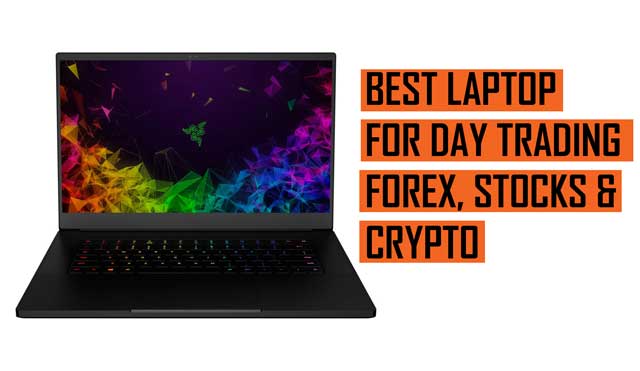
The Best Laptops for Forex Trading: A Comprehensive Guide
Forex trading demands precision, speed, and reliability. A crucial component of any successful trader’s arsenal is a high-performance laptop. The best laptops for trading forex aren’t just about aesthetics; they are about providing the computational power, display clarity, and connectivity needed to analyze market trends, execute trades swiftly, and manage risk effectively. This comprehensive guide will explore the key features to look for in a trading laptop, recommend specific models, and offer tips to optimize your trading setup.
Why a Good Laptop Matters for Forex Trading
In the fast-paced world of forex trading, seconds can mean the difference between profit and loss. A sluggish or unreliable laptop can lead to missed opportunities, delayed execution, and even system crashes during critical trading periods. Here’s why investing in one of the best laptops for trading forex is essential:
- Speed and Performance: Forex trading platforms and analytical tools require significant processing power. A laptop with a fast processor and ample RAM ensures smooth operation and quick response times.
- Reliability: A stable and dependable laptop minimizes the risk of technical glitches that could disrupt your trading activities.
- Multi-tasking Capabilities: Traders often need to run multiple applications simultaneously, including trading platforms, charting software, news feeds, and communication tools. A powerful laptop allows for seamless multi-tasking without performance degradation.
- Portability: The ability to trade from anywhere is a major advantage. A lightweight and portable laptop enables you to monitor the markets and execute trades while on the move.
- Screen Real Estate: Analyzing charts and market data requires sufficient screen space. A laptop with a large, high-resolution display or the ability to connect to external monitors enhances your analytical capabilities.
Key Features to Look for in Forex Trading Laptops
When choosing a laptop for trading forex, consider these critical features:
Processor (CPU)
The processor is the brain of your laptop, responsible for executing instructions and performing calculations. For forex trading, an Intel Core i5 or AMD Ryzen 5 processor is generally considered the minimum requirement. However, an Intel Core i7 or AMD Ryzen 7 processor will provide even better performance, especially when running multiple applications simultaneously. Consider the latest generation processors for optimal efficiency and speed. A faster processor ensures your laptop for trading forex won’t lag during critical moments.
Memory (RAM)
Random Access Memory (RAM) is used to store data that the processor needs to access quickly. For forex trading, 8GB of RAM is the absolute minimum, but 16GB is highly recommended. More RAM allows you to run more applications simultaneously without experiencing slowdowns. Running multiple trading platforms, charting software, and web browsers can quickly consume RAM, so having sufficient memory is crucial for a smooth trading experience. Ensure your laptop for trading forex has enough RAM to handle your trading needs.
Storage (SSD)
A Solid State Drive (SSD) is essential for fast boot times, application loading, and data access. Unlike traditional Hard Disk Drives (HDDs), SSDs have no moving parts, making them significantly faster and more reliable. Opt for a laptop with at least a 256GB SSD, but 512GB or 1TB is preferable if you plan to store large amounts of data or install numerous applications. An SSD will drastically improve the responsiveness of your laptop for trading forex.
Display
The display is your window to the market. Choose a laptop with a screen size that suits your needs, typically between 13 and 17 inches. A Full HD (1920×1080) resolution is the minimum requirement, but a higher resolution display (such as QHD or 4K) will provide sharper images and more screen real estate. Consider a laptop with an IPS (In-Plane Switching) panel for wider viewing angles and accurate color reproduction. Some traders prefer to connect their laptops to external monitors for even more screen space, so ensure your laptop for trading forex has the necessary ports (HDMI, DisplayPort, or Thunderbolt).
Connectivity
Reliable connectivity is crucial for forex trading. Ensure your laptop has Wi-Fi 6 (802.11ax) for fast and stable wireless connections. Multiple USB ports (including USB-C) are also essential for connecting peripherals such as external monitors, keyboards, and mice. An Ethernet port provides a wired connection for even greater stability. Check the laptop for trading forex has sufficient ports for your needs.
Battery Life
If you plan to trade on the go, battery life is an important consideration. Look for a laptop that offers at least 6-8 hours of battery life under normal usage conditions. Keep in mind that battery life can vary depending on the applications you are running and the screen brightness settings. Having a long lasting battery on your laptop for trading forex will give you peace of mind.
Operating System
Windows 10 or Windows 11 are the most popular operating systems for forex trading, due to their compatibility with a wide range of trading platforms and software. macOS is also a viable option, but ensure that your preferred trading platforms are compatible with macOS before making a purchase. Linux is less common but can be used if you are comfortable with the command line and can find compatible trading software. The OS of your laptop for trading forex is a matter of personal preference and platform compatibility.
Recommended Laptops for Forex Trading
Based on the criteria outlined above, here are some of the best laptops for trading forex currently available:
Dell XPS 15
The Dell XPS 15 is a powerhouse laptop that offers a perfect blend of performance, portability, and aesthetics. It features a powerful Intel Core i7 or i9 processor, up to 64GB of RAM, a fast SSD, and a stunning display. The Dell XPS 15 is an excellent choice for serious forex traders who demand the best. Its robust performance makes it an ideal laptop for trading forex.
Apple MacBook Pro
The Apple MacBook Pro is a premium laptop that offers exceptional performance and a sleek design. It’s powered by Apple’s M1 or M2 series chips, which deliver impressive speed and efficiency. The MacBook Pro also features a stunning Retina display and a long battery life. This is a great laptop for trading forex, especially if you prefer the macOS ecosystem.
HP Spectre x360
The HP Spectre x360 is a versatile 2-in-1 laptop that can be used in laptop mode, tablet mode, or tent mode. It features a powerful Intel Core i5 or i7 processor, up to 16GB of RAM, a fast SSD, and a vibrant touchscreen display. The HP Spectre x360 is a great option for traders who value flexibility and portability. Its adaptability makes it a useful laptop for trading forex in various settings.
Lenovo ThinkPad X1 Carbon
The Lenovo ThinkPad X1 Carbon is a durable and reliable laptop that is built for business. It features a powerful Intel Core i5 or i7 processor, up to 16GB of RAM, a fast SSD, and a comfortable keyboard. The ThinkPad X1 Carbon is a great choice for traders who value stability and longevity. This reliable laptop for trading forex is built to last.
Microsoft Surface Laptop Studio
The Microsoft Surface Laptop Studio is a unique and innovative laptop that features a dynamic woven hinge that allows you to transform it into a tablet or drawing surface. It features a powerful Intel Core i5 or i7 processor, up to 32GB of RAM, a fast SSD, and a high-resolution display. The Surface Laptop Studio is a great option for traders who want a versatile and creative tool. This adaptable laptop for trading forex offers a unique user experience.
Tips for Optimizing Your Trading Laptop
Once you’ve chosen the right laptop for trading forex, here are some tips to optimize its performance:
- Keep Your Operating System and Software Up-to-Date: Install the latest updates to ensure optimal performance and security.
- Close Unnecessary Applications: Running too many applications simultaneously can slow down your laptop. Close any applications that you are not actively using.
- Disable Startup Programs: Many programs automatically launch when you start your laptop. Disable any unnecessary startup programs to improve boot times and overall performance.
- Use a Wired Internet Connection: A wired connection is more stable and reliable than a wireless connection. Use an Ethernet cable whenever possible.
- Monitor Your Laptop’s Temperature: Overheating can damage your laptop and reduce its performance. Ensure that your laptop has adequate ventilation and consider using a laptop cooling pad.
- Invest in a Good Antivirus Software: Protect your laptop from malware and viruses that can compromise its performance and security.
Conclusion
Choosing the right laptop for trading forex is a crucial investment that can significantly impact your trading success. By considering the key features outlined in this guide and following the optimization tips, you can ensure that your laptop provides the performance, reliability, and portability you need to thrive in the fast-paced world of forex trading. Remember to research thoroughly and choose a laptop that meets your specific needs and budget. A well-chosen laptop is an invaluable tool for any serious forex trader.
[See also: Best Forex Trading Strategies for Beginners]
[See also: Top Forex Trading Platforms Compared]
[See also: How to Manage Risk in Forex Trading]
