The Best Laptops for Trading: A 2024 Guide for Informed Investors
In the fast-paced world of financial markets, having the right tools is crucial for success. For traders, a reliable and powerful laptop is no longer a luxury, but a necessity. Whether you’re day trading stocks, analyzing forex charts, or managing cryptocurrency portfolios, your laptop is your command center. This guide will explore the top contenders for the title of “best laptops for trading” in 2024, considering factors like performance, portability, battery life, and security.
The best laptops for trading aren’t just about raw processing power; they’re about striking a balance between performance, stability, and usability. A trader needs a machine that can handle multiple applications simultaneously, from charting software and news feeds to order entry platforms and risk management tools. Furthermore, portability is essential for traders who need to monitor the markets on the go. Let’s delve into the key features to look for and some of the top recommendations.
Key Features to Consider When Choosing a Trading Laptop
Processor Power
The processor is the brain of your laptop. For trading, an Intel Core i5 or AMD Ryzen 5 processor is generally considered the minimum requirement. However, for intensive tasks like running complex simulations or analyzing large datasets, an Intel Core i7 or AMD Ryzen 7 processor is highly recommended. Consider models with multiple cores and high clock speeds for optimal performance. The latest generation processors offer significant improvements in power efficiency and performance.
RAM (Random Access Memory)
RAM is crucial for multitasking. A minimum of 8GB of RAM is recommended for trading, but 16GB or even 32GB is preferable if you plan on running multiple trading platforms and applications simultaneously. Insufficient RAM can lead to lag and slowdowns, which can be detrimental in fast-moving markets. More RAM allows your laptop to handle more data and processes at the same time, resulting in a smoother and more responsive trading experience.
Storage: SSD vs. HDD
Solid State Drives (SSDs) are significantly faster than traditional Hard Disk Drives (HDDs). An SSD is essential for quick boot times, rapid application loading, and fast data access. Opt for at least a 256GB SSD, but 512GB or 1TB is recommended if you plan on storing large amounts of data, such as historical market data or trading logs. NVMe SSDs offer even faster speeds compared to SATA SSDs.
Display Quality and Size
A high-quality display is essential for clear and accurate chart analysis. Look for a laptop with a Full HD (1920×1080) or higher resolution display. IPS panels offer better color accuracy and wider viewing angles, which are important for analyzing complex charts. The screen size is also a matter of personal preference, but a 15-inch or 17-inch display is generally recommended for comfortable viewing. Some traders even prefer to use multiple external monitors for enhanced productivity.
Battery Life
Battery life is crucial if you plan on trading on the go or in areas where power outlets are not readily available. Look for a laptop with a battery life of at least 6-8 hours. Keep in mind that battery life can vary depending on usage, so it’s a good idea to read reviews and compare battery life estimates before making a purchase.
Connectivity
Reliable connectivity is essential for trading. Look for a laptop with Wi-Fi 6 or Wi-Fi 6E for fast and stable wireless connections. Multiple USB ports (including USB-C) are also important for connecting external monitors, keyboards, and other peripherals. An Ethernet port is also useful for a wired internet connection, which can be more stable than Wi-Fi.
Security Features
Security is paramount when dealing with financial data. Look for a laptop with built-in security features like a fingerprint sensor or facial recognition for secure login. Consider laptops with TPM (Trusted Platform Module) chips for hardware-based security. It’s also important to use a strong password, enable two-factor authentication, and keep your software up to date to protect your data from cyber threats. [See also: Best Practices for Securing Your Trading Account]
Top Laptop Recommendations for Trading in 2024
Apple MacBook Pro (14-inch or 16-inch)
The Apple MacBook Pro is a top choice for traders who value performance, reliability, and a sleek design. The M3 Pro or M3 Max chip delivers exceptional performance for demanding trading applications. The Retina display offers stunning image quality, and the long battery life makes it ideal for trading on the go. The macOS operating system is also known for its stability and security. The MacBook Pro is considered one of the best laptops for trading due to its powerful processor and exceptional build quality.
Dell XPS 15 or XPS 17
The Dell XPS series is known for its excellent performance and build quality. The XPS 15 and XPS 17 offer powerful Intel Core processors, ample RAM, and fast SSD storage. The InfinityEdge display provides a near-borderless viewing experience, and the laptop is relatively lightweight and portable. Dell XPS laptops are frequently recommended as good laptops for trading due to their blend of power and portability.
HP Spectre x360
The HP Spectre x360 is a versatile 2-in-1 laptop that can be used in laptop or tablet mode. It offers a powerful Intel Core processor, a high-resolution display, and long battery life. The Spectre x360 is a good choice for traders who want a laptop that can be used for both trading and other tasks, such as browsing the web or watching videos. Its flexibility makes it a good choice among the good laptops for trading.
Microsoft Surface Laptop Studio
The Microsoft Surface Laptop Studio is a unique laptop with a dynamic woven hinge that allows it to be used in three different modes: Laptop, Stage, and Studio. It offers a powerful Intel Core processor, a high-resolution display, and a dedicated NVIDIA GeForce RTX graphics card. The Surface Laptop Studio is a good choice for traders who need a laptop that can handle both trading and creative tasks. It has become popular as one of the good laptops for trading for those who want a tablet-like experience.
Lenovo ThinkPad X1 Carbon
The Lenovo ThinkPad X1 Carbon is a durable and reliable laptop that is designed for business users. It offers a powerful Intel Core processor, a lightweight design, and long battery life. The ThinkPad X1 Carbon is a good choice for traders who need a laptop that can withstand the rigors of travel. Known for their durability, ThinkPads are considered good laptops for trading by many professionals.
Setting Up Your Trading Laptop for Optimal Performance
Optimize Your Operating System
Ensure your operating system is up-to-date with the latest drivers and security patches. Disable unnecessary background processes and startup programs to free up system resources. Consider using a lightweight operating system if performance is a top priority. Regular maintenance, such as disk defragmentation and malware scans, can also help improve performance.
Choose the Right Trading Platform
Select a trading platform that is compatible with your operating system and hardware. Some platforms are more resource-intensive than others, so it’s important to choose one that is optimized for your laptop. Consider using a web-based platform if you want to minimize the load on your system. [See also: Comparing Popular Trading Platforms for Beginners]
Optimize Your Internet Connection
A stable and reliable internet connection is essential for trading. Use a wired Ethernet connection whenever possible, as it is generally more stable than Wi-Fi. Consider upgrading your internet plan if you experience frequent disconnects or slow speeds. Use a VPN (Virtual Private Network) to protect your data and privacy. The best laptops for trading won’t matter if you don’t have a reliable internet connection.
Use Multiple Monitors
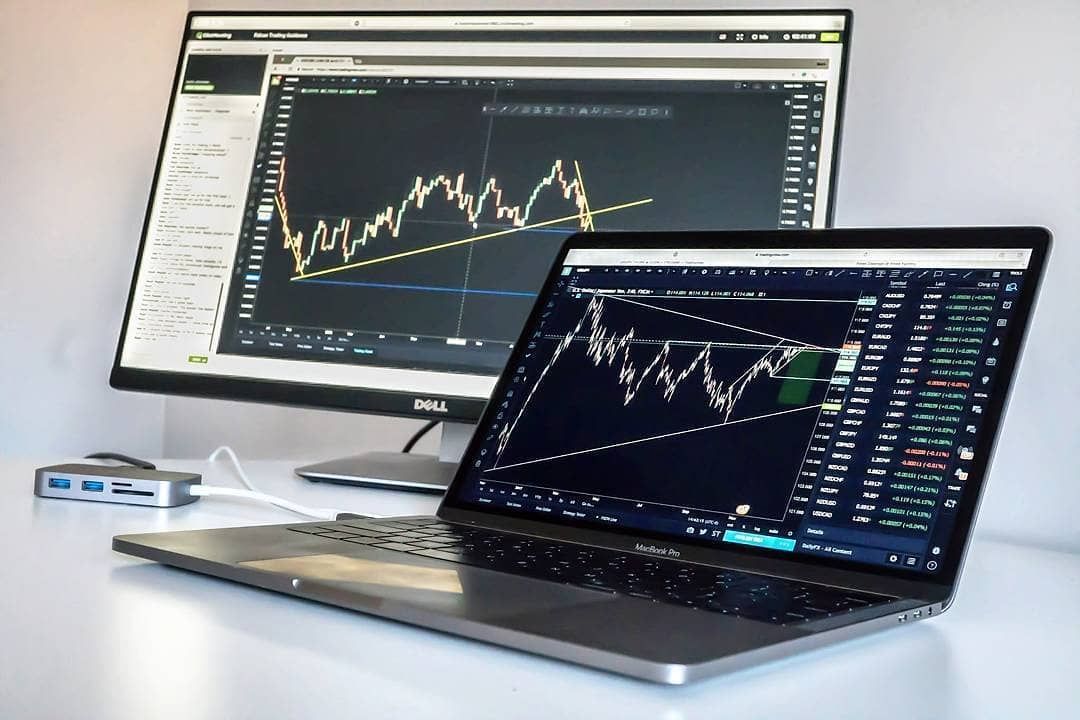
Using multiple monitors can significantly enhance your trading productivity. Connect external monitors to your laptop to display charts, news feeds, and order entry platforms simultaneously. This allows you to monitor multiple markets and make informed trading decisions more efficiently. Most of the good laptops for trading can handle multiple monitors.
Regularly Back Up Your Data
It’s important to regularly back up your data to protect against data loss due to hardware failure or cyber attacks. Use an external hard drive or cloud storage service to back up your trading logs, settings, and other important files. Consider using an automated backup solution to ensure that your data is always protected.
Conclusion: Finding the Right Trading Laptop for Your Needs
Choosing the best laptops for trading depends on individual needs and preferences. Consider your budget, trading style, and portability requirements when making your decision. The laptops mentioned in this guide represent some of the top contenders in 2024, but it’s important to do your own research and compare different models before making a purchase. With the right laptop, you can enhance your trading performance and stay ahead of the curve in the dynamic world of financial markets. Remember to prioritize performance, reliability, and security when selecting a trading laptop.
Ultimately, the “best laptops for trading” are those that empower you to execute your strategies efficiently and effectively. By carefully considering the key features outlined in this guide and exploring the recommended models, you can find the perfect laptop to suit your trading needs and elevate your success in the market.
