The Ultimate Guide to Choosing the Best Laptop for Forex Trading in 2024
Forex trading demands precision, speed, and reliability. Choosing the best laptop for forex trading is a crucial decision that can significantly impact your trading performance. In this comprehensive guide, we will explore the key features, specifications, and models that every forex trader should consider in 2024. Whether you’re a seasoned professional or just starting out, understanding the nuances of hardware requirements will empower you to make an informed investment.
Why a Good Laptop is Essential for Forex Trading
The forex market operates 24/5, requiring constant monitoring and quick decision-making. A reliable laptop ensures you never miss a trading opportunity due to technical glitches or slow performance. Here’s why investing in the best laptop for forex trading is non-negotiable:
- Real-Time Data Analysis: Trading platforms require robust processing power to handle real-time data feeds and complex charting.
- Multi-Tasking Capabilities: Traders often run multiple applications simultaneously, including trading platforms, news feeds, and analytical tools.
- Reliability: A stable and dependable laptop minimizes the risk of crashes or freezes during critical trading moments.
- Portability: Allows you to trade from anywhere, whether you’re at home, in the office, or traveling.
Key Specifications to Consider
When selecting the best laptop for forex trading, several key specifications play a vital role. Here’s a breakdown of what to look for:
Processor (CPU)
The Central Processing Unit (CPU) is the brain of your laptop. For forex trading, a powerful processor is essential to handle multiple tasks without lag. Look for:
- Intel Core i5 or i7 (8th generation or newer): These processors offer a good balance of performance and efficiency. The newer the generation, the better the performance.
- AMD Ryzen 5 or Ryzen 7: AMD processors are also excellent choices, offering comparable performance to Intel at a competitive price.
RAM (Memory)
Random Access Memory (RAM) is crucial for running multiple applications simultaneously. Insufficient RAM can lead to slowdowns and freezes. Aim for:
- 8GB RAM (Minimum): This is the bare minimum for basic forex trading.
- 16GB RAM (Recommended): Provides smoother performance and allows you to run more applications concurrently.
Storage
Storage type and capacity affect how quickly your laptop loads applications and accesses data. Consider:
- Solid State Drive (SSD): SSDs offer significantly faster read and write speeds compared to traditional Hard Disk Drives (HDDs). This results in quicker boot times and faster application loading.
- 256GB SSD (Minimum): Sufficient for installing your operating system, trading platforms, and essential software.
- 512GB SSD or 1TB SSD (Recommended): Provides ample space for storing historical data, charts, and other resources.
Display
The display is your window into the forex market. A clear and accurate display is essential for analyzing charts and monitoring price movements. Look for:
- Screen Size: 13-inch to 15-inch screens offer a good balance of portability and usability.
- Resolution: Full HD (1920×1080) or higher is recommended for crisp and clear visuals.
- Panel Type: IPS (In-Plane Switching) panels offer better color accuracy and wider viewing angles, which are crucial for accurate chart analysis.
Graphics Card (GPU)
While a dedicated graphics card isn’t strictly necessary for forex trading, it can enhance performance, especially if you use advanced charting tools or multiple monitors. Consider:
- Integrated Graphics: Intel Iris Xe Graphics or AMD Radeon Graphics are sufficient for most trading tasks.
- Dedicated Graphics (Optional): NVIDIA GeForce or AMD Radeon cards can provide smoother performance for demanding applications and multi-monitor setups.
Battery Life
Long battery life is essential for traders who need to stay connected while on the move. Aim for:
- At least 6-8 hours of battery life: This will ensure you can trade for a significant portion of the day without needing to plug in.
Connectivity
Reliable connectivity is crucial for accessing real-time data and executing trades. Ensure your laptop has:
- Wi-Fi 6 (802.11ax): The latest Wi-Fi standard offers faster speeds and improved reliability.
- Multiple USB Ports: For connecting external monitors, keyboards, and other peripherals.
- HDMI or DisplayPort: For connecting to external displays.
Top Laptop Recommendations for Forex Trading in 2024
Based on the specifications outlined above, here are some of the best laptops for forex trading currently available:
Apple MacBook Pro (14-inch or 16-inch)
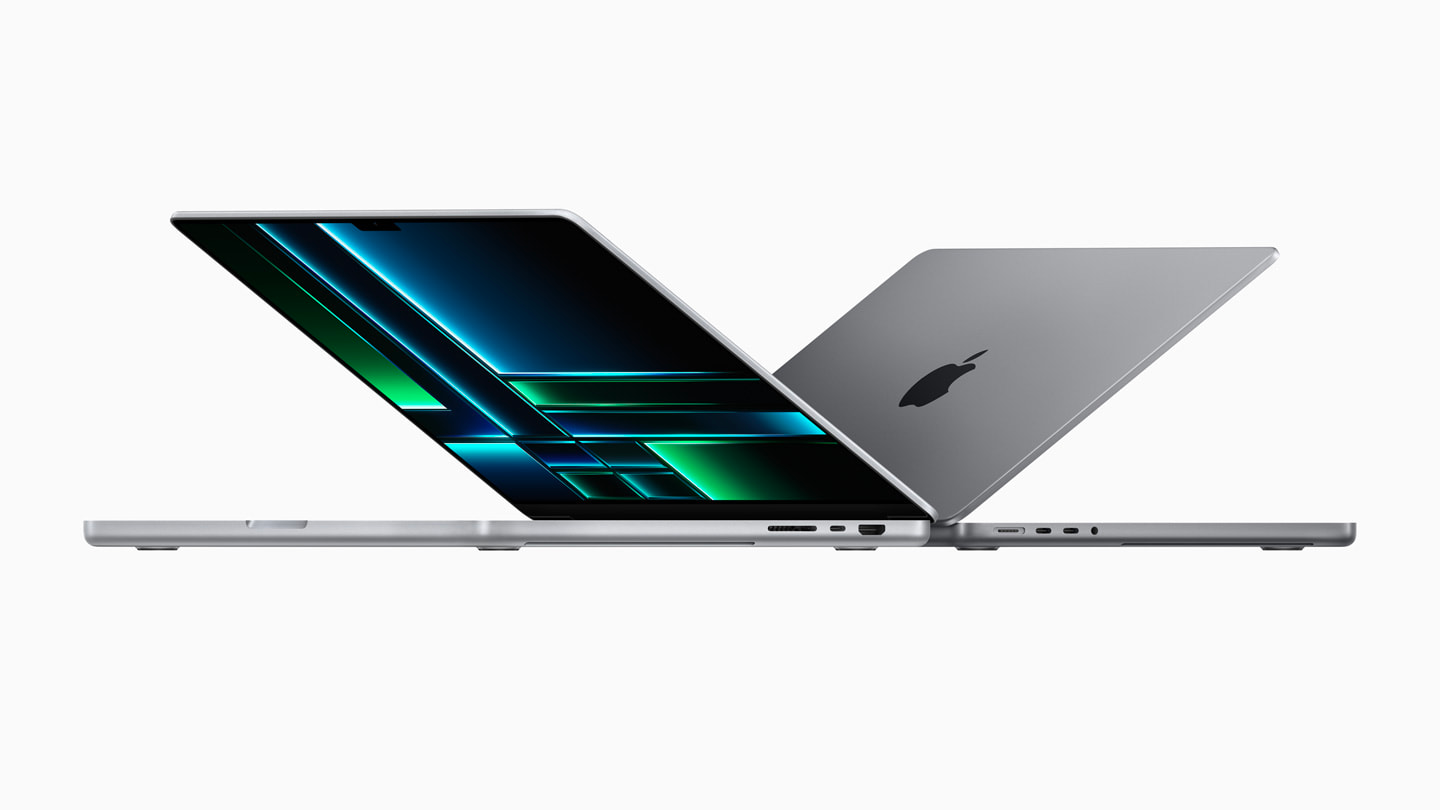
The MacBook Pro offers exceptional performance, a stunning display, and long battery life. The M1 Pro or M2 Pro chips provide ample power for even the most demanding trading tasks. It is undeniably one of the best laptops for forex trading.
- Processor: Apple M1 Pro or M2 Pro
- RAM: 16GB or 32GB
- Storage: 512GB SSD or 1TB SSD
- Display: 14-inch or 16-inch Liquid Retina XDR display
- Battery Life: Up to 17 hours
Dell XPS 15 or XPS 17
The Dell XPS series is known for its sleek design, powerful performance, and excellent display quality. These laptops are a great choice for traders who need a reliable and versatile machine. Trading forex effectively requires a laptop you can depend on, and the Dell XPS series delivers.
- Processor: Intel Core i7 or i9 (12th generation or newer)
- RAM: 16GB or 32GB
- Storage: 512GB SSD or 1TB SSD
- Display: 15.6-inch or 17-inch FHD+ or UHD+ display
- Battery Life: Up to 10 hours
HP Spectre x360
The HP Spectre x360 is a 2-in-1 laptop that offers a blend of performance, portability, and versatility. Its convertible design allows you to use it as a laptop or a tablet, making it ideal for traders who need flexibility. Finding the best laptop for forex trading can be challenging, but the HP Spectre x360 ticks many boxes.
- Processor: Intel Core i5 or i7 (12th generation or newer)
- RAM: 8GB or 16GB
- Storage: 256GB SSD or 512GB SSD
- Display: 13.5-inch or 14-inch FHD+ or OLED display
- Battery Life: Up to 12 hours
Lenovo ThinkPad X1 Carbon
The Lenovo ThinkPad X1 Carbon is a lightweight and durable laptop that offers excellent performance and reliability. It’s a great choice for traders who need a portable machine that can withstand the rigors of daily use. When considering the best laptop for forex trading, durability is key.
- Processor: Intel Core i5 or i7 (12th generation or newer)
- RAM: 16GB
- Storage: 512GB SSD or 1TB SSD
- Display: 14-inch FHD+ or UHD+ display
- Battery Life: Up to 15 hours
Microsoft Surface Laptop Studio
The Microsoft Surface Laptop Studio is a unique and innovative laptop that offers a blend of performance and creativity. Its dynamic hinge allows you to use it in different modes, making it ideal for traders who need a versatile machine. It can easily be considered one of the best laptops for forex trading, due to its flexibility.
- Processor: Intel Core i5 or i7 (11th generation)
- RAM: 16GB or 32GB
- Storage: 256GB SSD, 512GB SSD, 1TB SSD, or 2TB SSD
- Display: 14.4-inch PixelSense Flow display
- Battery Life: Up to 19 hours
Additional Tips for Optimizing Your Laptop for Forex Trading
Beyond choosing the right laptop, here are some additional tips to optimize your trading setup:
- Use Multiple Monitors: Connecting multiple monitors allows you to view more charts and data simultaneously, improving your trading efficiency.
- Install a Reliable Antivirus: Protect your laptop from malware and viruses that can compromise your trading data and performance.
- Keep Your Software Updated: Regularly update your operating system, trading platforms, and other software to ensure optimal performance and security.
- Use a VPN: A Virtual Private Network (VPN) can protect your privacy and security when trading on public Wi-Fi networks.
- Regularly Back Up Your Data: Back up your trading data regularly to prevent data loss in case of hardware failure or other issues.
Conclusion
Choosing the best laptop for forex trading is a significant investment that can greatly enhance your trading performance. By considering the key specifications outlined in this guide and selecting a model that meets your specific needs, you can ensure a reliable and efficient trading experience. Remember to prioritize processing power, RAM, storage, and display quality to make informed trading decisions. With the right laptop, you’ll be well-equipped to navigate the dynamic world of forex trading and capitalize on opportunities as they arise. Investing wisely in the best laptop for forex trading is an investment in your success.
[See also: Forex Trading Strategies for Beginners]
[See also: How to Choose a Forex Broker]
[See also: Setting Up a Forex Trading Account]
