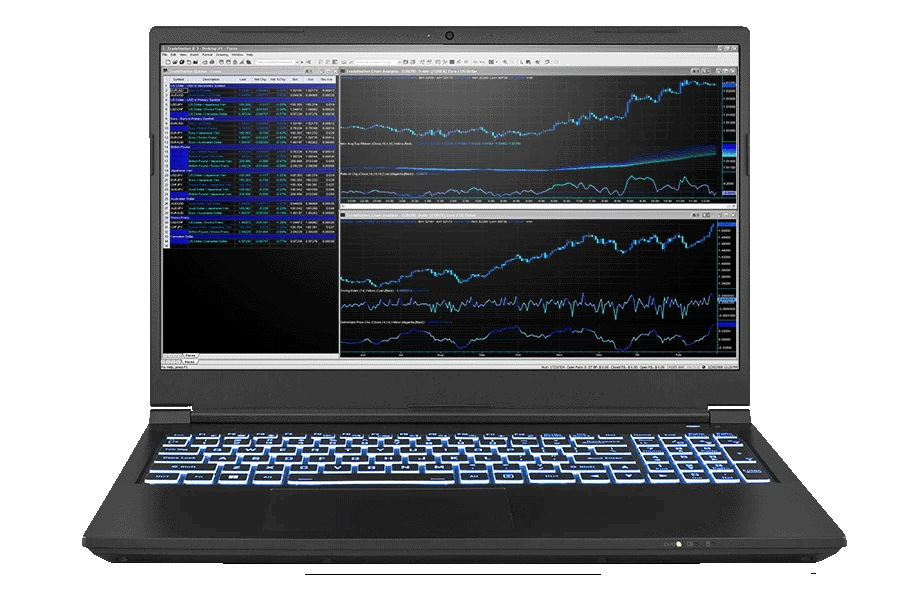
The Ultimate Guide to Choosing the Best Trader Laptop in 2024
In the fast-paced world of financial trading, having the right tools can make all the difference. A reliable and powerful trader laptop is not just a convenience; it’s a necessity. Whether you’re monitoring market trends, executing trades, or analyzing data, your laptop is your command center. This guide will walk you through the key factors to consider when selecting the best trader laptop for your needs in 2024. We’ll cover everything from processing power and memory to screen size and portability, ensuring you’re equipped to make informed decisions that can impact your trading success.
Why a Dedicated Trader Laptop Matters
Using a generic laptop for trading can lead to frustrating delays, system crashes, and missed opportunities. Trader laptops are specifically designed to handle the demanding tasks associated with financial markets. They offer enhanced performance, reliability, and security features that are crucial for successful trading. Consider the amount of data you’ll be processing, the number of applications you’ll be running simultaneously, and the potential financial consequences of a system failure. Investing in a dedicated trader laptop is an investment in your trading career.
Key Features to Look for in a Trader Laptop
Processing Power
The processor, or CPU, is the brain of your laptop. For trading, you’ll want a powerful processor that can handle multiple applications and data streams without lagging. Look for Intel Core i7 or i9 processors, or AMD Ryzen 7 or 9 series. These processors offer the speed and efficiency needed for complex calculations and real-time analysis. A trader laptop with a robust processor ensures smooth operation even during peak market volatility.
Memory (RAM)
Random Access Memory (RAM) is crucial for multitasking. Aim for at least 16GB of RAM, but 32GB is recommended for professional traders who run multiple trading platforms, charting software, and analysis tools simultaneously. Insufficient RAM can lead to slow performance and system crashes, which can be costly in the trading world. A dedicated trader laptop should have ample RAM to handle all your trading needs.
Storage
Solid State Drives (SSDs) are essential for fast boot-up times and quick access to data. Opt for an SSD with at least 512GB of storage. This will provide enough space for your operating system, trading platforms, software, and data files. Consider a laptop with dual SSD slots for even more storage and redundancy. A fast and reliable storage system is critical for a trader laptop.
Display
The display is your window into the market. Choose a laptop with a high-resolution display (1920×1080 or higher) for clear and detailed visuals. A larger screen size (15 inches or more) is also recommended for better readability and multitasking. Some traders prefer multiple monitors for a more immersive trading experience. In that case, ensure your trader laptop supports multiple external displays. Color accuracy is also important, especially if you’re analyzing charts and graphs. [See also: Best External Monitors for Day Trading]
Graphics Card
While you don’t need a high-end gaming graphics card, a dedicated graphics card can improve the performance of charting software and handle multiple displays more efficiently. Look for a laptop with a dedicated NVIDIA GeForce or AMD Radeon graphics card with at least 2GB of VRAM. This will ensure smooth visuals and prevent lag when analyzing complex charts. A trader laptop benefits from a dedicated graphics card, especially when using advanced trading platforms.
Connectivity
Reliable internet connectivity is non-negotiable for trading. Ensure your laptop has a fast and stable Wi-Fi connection (802.11ac or 802.11ax). Consider a laptop with an Ethernet port for a wired connection, which is generally more stable than Wi-Fi. Multiple USB ports are also essential for connecting external devices such as monitors, keyboards, and mice. A trader laptop must have robust connectivity options to ensure uninterrupted trading.
Battery Life
While you’ll likely be using your laptop near a power source most of the time, battery life is still an important consideration. Look for a laptop that offers at least 6-8 hours of battery life on a single charge. This will provide peace of mind in case of a power outage or when trading on the go. A trader laptop with good battery life allows you to trade from anywhere, anytime.
Operating System
Windows and macOS are the two most popular operating systems for trading. Windows offers a wider range of trading platforms and software, while macOS is known for its stability and security. Choose the operating system that best suits your trading style and software requirements. Both operating systems are suitable for a trader laptop, so the choice is largely a matter of personal preference.
Security Features
Security is paramount when dealing with financial data. Look for a laptop with built-in security features such as a fingerprint scanner, facial recognition, and a TPM (Trusted Platform Module) chip. These features will help protect your data from unauthorized access. Regular software updates and a strong antivirus program are also essential. A secure trader laptop is crucial for protecting your assets and personal information.
Portability
If you plan to trade on the go, portability is an important factor. Look for a lightweight and compact laptop that is easy to carry around. However, keep in mind that smaller laptops may have smaller screens and less powerful components. Balance portability with performance to find the best trader laptop for your needs. [See also: The Best Mobile Trading Apps for 2024]
Top Trader Laptop Recommendations for 2024
Based on the criteria discussed above, here are some of the top trader laptop recommendations for 2024:
- Dell XPS 15/17: Known for its powerful performance, stunning display, and sleek design.
- Apple MacBook Pro 14/16-inch: Offers excellent performance, battery life, and a user-friendly operating system.
- Lenovo ThinkPad X1 Carbon: A lightweight and durable laptop with excellent security features.
- HP Spectre x360: A versatile 2-in-1 laptop with a powerful processor and a stunning display.
- Microsoft Surface Laptop Studio: An innovative laptop with a unique design and powerful performance.
Setting Up Your Trader Laptop for Success
Once you’ve chosen your trader laptop, it’s important to set it up properly to maximize its performance and security. Here are some tips:
- Install your trading platforms and software.
- Configure your display settings for optimal viewing.
- Set up a strong password and enable two-factor authentication.
- Install a reputable antivirus program.
- Back up your data regularly.
- Optimize your internet connection for speed and stability.
The Importance of Regular Maintenance
To keep your trader laptop running smoothly, it’s important to perform regular maintenance. This includes:
- Cleaning your laptop regularly.
- Updating your software and drivers.
- Running regular virus scans.
- Defragmenting your hard drive (if you’re not using an SSD).
- Monitoring your system performance.
Conclusion
Choosing the right trader laptop is a crucial decision that can significantly impact your trading success. Consider your specific needs and budget, and carefully evaluate the key features discussed in this guide. By investing in a powerful and reliable trader laptop, you’ll be well-equipped to navigate the complexities of the financial markets and achieve your trading goals. Remember to prioritize processing power, memory, storage, display quality, connectivity, and security. With the right trader laptop, you can trade with confidence and efficiency, maximizing your potential for profit.
