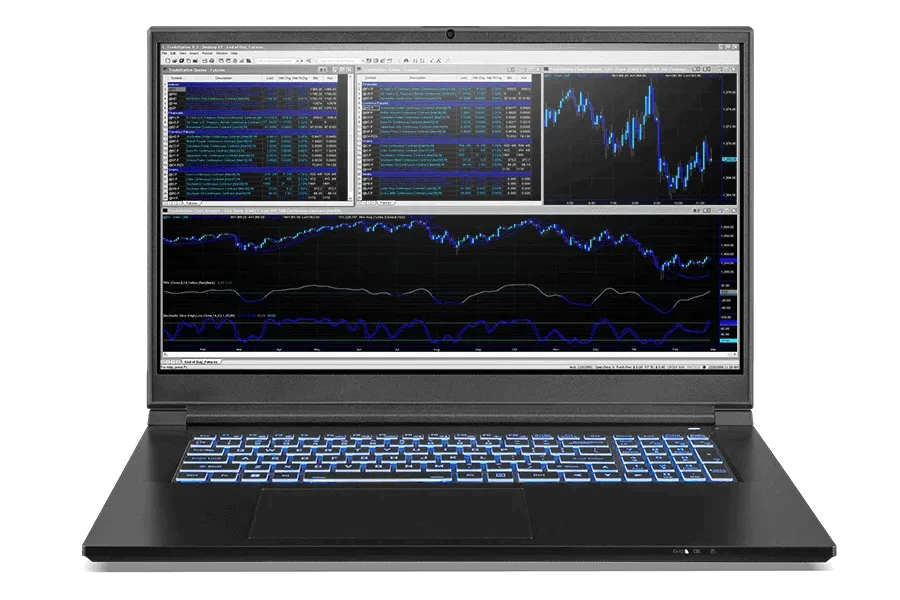
The Ultimate Guide to Choosing the Best Trading Laptop in 2024
In the fast-paced world of financial markets, having the right tools can make all the difference. For traders, a reliable and powerful trading laptop is not just a convenience; it’s a necessity. The ability to monitor market trends, execute trades swiftly, and analyze data on the go requires a machine that can keep up with the demands of the job. This guide will walk you through everything you need to consider when selecting the best trading laptop for your needs.
Why a Dedicated Trading Laptop Matters
While smartphones and tablets offer some level of portability, they often lack the processing power and screen real estate required for serious trading. A dedicated trading laptop provides several key advantages:
- Performance: Running multiple trading platforms, charting software, and data feeds simultaneously demands significant processing power and RAM.
- Screen Real Estate: Multiple monitors are common in trading setups, and a trading laptop with a large, high-resolution display can mimic this experience while on the move.
- Reliability: A trading laptop needs to be stable and dependable, minimizing the risk of crashes or freezes during critical trading moments.
- Security: Protecting sensitive financial data is paramount, and a trading laptop allows for more robust security measures compared to mobile devices.
Key Specifications to Consider
Processor (CPU)
The CPU is the brain of your trading laptop. For most traders, an Intel Core i5 or AMD Ryzen 5 processor will suffice. However, if you’re running complex algorithms or backtesting strategies, consider an Intel Core i7 or AMD Ryzen 7 for increased processing power. Look for processors with a high clock speed (GHz) and multiple cores.
Memory (RAM)
RAM is crucial for multitasking and running multiple applications simultaneously. At a minimum, aim for 16GB of RAM. If you frequently work with large datasets or run memory-intensive software, 32GB or even 64GB may be necessary. Insufficient RAM can lead to lag and slowdowns, which can be detrimental during live trading sessions. Having sufficient RAM in your trading laptop is essential.
Storage (SSD)
A solid-state drive (SSD) is essential for fast boot times and quick access to data. Avoid traditional hard disk drives (HDDs) as they are significantly slower. A 512GB SSD should be sufficient for most traders, but consider a 1TB SSD if you plan to store large amounts of historical data or install numerous applications. The responsiveness of your trading laptop will largely depend on the speed of the SSD.
Display
The display is your window into the markets. A larger screen (15 inches or more) with a high resolution (1920×1080 or higher) is recommended. Consider a display with good color accuracy and viewing angles to minimize eye strain during long trading sessions. Some traders prefer external monitors, but a good built-in display is still important for portability. A quality display enhances the usability of your trading laptop.
Graphics Card (GPU)
While a dedicated graphics card isn’t strictly necessary for most trading activities, it can be beneficial if you’re using charting software with advanced graphical features or running multiple monitors. A mid-range NVIDIA GeForce or AMD Radeon GPU should be sufficient. For basic trading, integrated graphics will often suffice. The GPU impacts how smoothly your trading laptop handles visual information.
Battery Life
If you plan to trade on the go, battery life is a critical consideration. Look for a trading laptop that offers at least 6-8 hours of battery life under moderate usage. Keep in mind that running multiple applications and data feeds will drain the battery faster. Consider carrying a power bank or investing in a spare battery for extended trading sessions. A long battery life makes your trading laptop more versatile.
Connectivity
Reliable internet connectivity is essential for trading. Look for a trading laptop with Wi-Fi 6 (802.11ax) for faster wireless speeds and lower latency. Ethernet ports are also useful for a stable wired connection. Multiple USB ports are necessary for connecting external monitors, keyboards, and other peripherals. Consider a docking station to expand connectivity options. Good connectivity is crucial for a successful trading laptop setup.
Operating System
Windows is the most popular operating system for trading due to its wide compatibility with trading platforms and software. macOS is also a viable option, but ensure that your preferred trading applications are compatible. Linux is less common but can be a good choice for experienced users who are comfortable with command-line interfaces. The operating system determines the software compatibility of your trading laptop.
Top Trading Laptop Recommendations for 2024
Here are a few top recommendations for trading laptops in 2024, based on various needs and budgets:
- Dell XPS 15: A premium trading laptop with a powerful processor, stunning display, and excellent build quality.
- Apple MacBook Pro 16-inch: A great option for macOS users, offering excellent performance, a beautiful display, and long battery life.
- Lenovo ThinkPad X1 Carbon: A lightweight and durable trading laptop with a comfortable keyboard and strong security features.
- HP Spectre x360: A versatile 2-in-1 trading laptop with a rotating display and a sleek design.
- ASUS ROG Zephyrus G14: A powerful gaming trading laptop that can handle demanding trading applications and offers excellent value for money.
Setting Up Your Trading Laptop
Once you’ve chosen your trading laptop, it’s important to set it up properly for optimal performance and security:
- Install essential software: Install your preferred trading platforms, charting software, and data feeds.
- Configure security settings: Enable a strong password, install a firewall, and use a reputable antivirus program.
- Optimize performance: Disable unnecessary background processes and adjust power settings for optimal performance.
- Set up backups: Regularly back up your data to an external drive or cloud storage service.
- Consider external monitors: Adding one or more external monitors can significantly increase your productivity.
Maintaining Your Trading Laptop
Proper maintenance is essential for keeping your trading laptop running smoothly and reliably:
- Keep your software up to date: Install the latest updates for your operating system, trading platforms, and security software.
- Clean your laptop regularly: Remove dust and debris from the keyboard, screen, and vents.
- Monitor performance: Use task manager or other monitoring tools to track CPU usage, RAM usage, and disk activity.
- Avoid overheating: Ensure that your trading laptop has adequate ventilation to prevent overheating.
- Replace the battery when necessary: Batteries degrade over time and may need to be replaced after a few years of use.
The Future of Trading Laptops
As technology continues to evolve, trading laptops will become even more powerful and versatile. Expect to see advancements in areas such as:
- Processing power: Next-generation processors will offer even faster performance and improved energy efficiency.
- Display technology: Higher resolution displays with improved color accuracy and refresh rates will become more common.
- Connectivity: Faster wireless speeds and more robust connectivity options will enable seamless trading on the go.
- Artificial intelligence: AI-powered tools will provide traders with valuable insights and automated trading strategies.
Conclusion
Choosing the right trading laptop is a crucial investment for any serious trader. By considering the key specifications, evaluating your needs, and following the tips outlined in this guide, you can find a trading laptop that will help you stay ahead of the curve in the dynamic world of financial markets. Remember to prioritize performance, reliability, and security to ensure a smooth and profitable trading experience. A well-chosen trading laptop is an invaluable asset for any modern trader.
[See also: Best Trading Software for Beginners]
[See also: How to Set Up a Home Trading Station]
[See also: Top 5 Day Trading Strategies]
