
The Ultimate Guide to Choosing the Best Trading Laptops in 2024
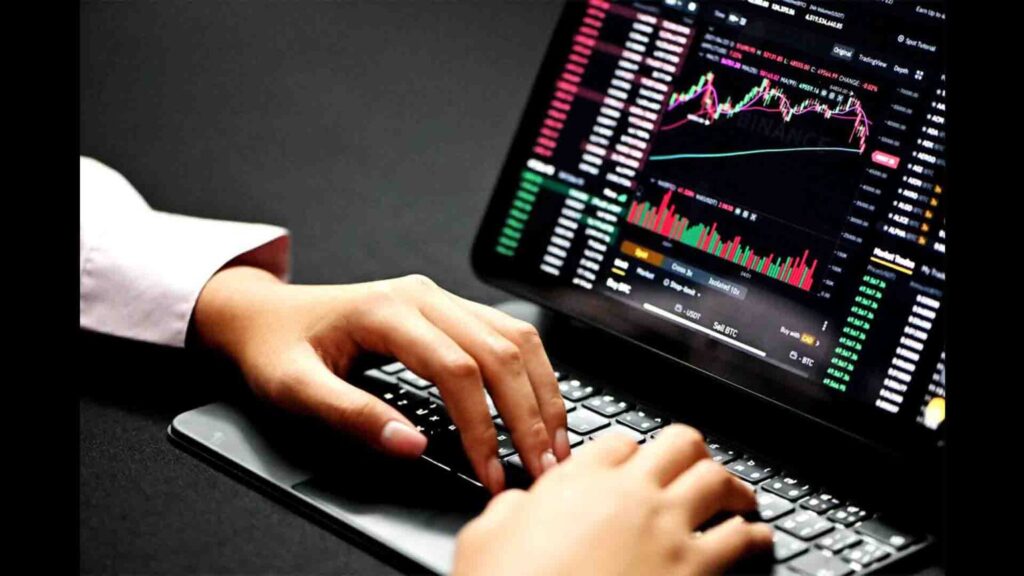
In the fast-paced world of financial markets, having the right tools can make all the difference. For traders, a reliable and powerful laptop is not just a convenience; it’s a necessity. The best trading laptops provide the performance, stability, and portability needed to monitor markets, execute trades, and stay connected, no matter where you are. This comprehensive guide will explore the key features to look for when selecting a trading laptop in 2024, helping you make an informed decision that aligns with your trading style and financial goals.
Why a Dedicated Trading Laptop Matters
While any laptop can technically access trading platforms, a dedicated trading laptop offers several advantages:
- Reliability: Trading often involves time-sensitive decisions. A reliable laptop minimizes the risk of crashes, freezes, or slow performance, which can lead to missed opportunities or costly errors.
- Performance: Modern trading platforms can be resource-intensive, especially when running multiple charts, indicators, and news feeds simultaneously. A powerful trading laptop ensures smooth operation and quick execution.
- Portability: The ability to trade from anywhere – whether it’s a coffee shop, a co-working space, or while traveling – provides flexibility and allows you to stay connected to the markets at all times.
- Security: Protecting your financial data is paramount. A dedicated trading laptop allows you to implement robust security measures, such as dedicated antivirus software and secure VPN connections.
Key Features to Consider When Choosing a Trading Laptop
Processor (CPU)
The processor is the brain of your laptop, and it plays a crucial role in determining its overall performance. For trading laptops, a multi-core processor is essential. Look for Intel Core i5, i7, or i9 processors, or AMD Ryzen 5, 7, or 9 processors. Higher clock speeds and more cores generally translate to better performance, especially when running multiple applications simultaneously. Consider the latest generation processors for improved efficiency and speed. A minimum of an Intel Core i5 or AMD Ryzen 5 is recommended for most trading activities, but for more demanding tasks, an i7 or Ryzen 7 (or higher) would be beneficial.
Memory (RAM)
Random Access Memory (RAM) is crucial for multitasking and running multiple applications without slowdowns. For a trading laptop, 16GB of RAM is generally considered the sweet spot. This amount allows you to run multiple trading platforms, charts, and browsers without experiencing performance issues. While 8GB might be sufficient for basic trading, upgrading to 16GB provides a smoother and more responsive experience. If you plan to run very demanding applications or virtual machines, consider 32GB of RAM.
Storage (SSD)
Solid State Drives (SSDs) offer significantly faster read and write speeds compared to traditional Hard Disk Drives (HDDs). This translates to quicker boot times, faster application loading, and overall improved responsiveness. For a trading laptop, an SSD is a must-have. Aim for at least 256GB of storage, but 512GB or 1TB is recommended if you plan to store large amounts of data or run multiple operating systems. NVMe SSDs are even faster than standard SATA SSDs, so consider those if your budget allows. Ensure the laptop has an SSD for the operating system and frequently used trading software.
Display
The display is your window into the financial markets, so it’s important to choose one that is clear, comfortable, and provides sufficient screen real estate. A 15-inch or 17-inch display is generally recommended for trading laptops, as it provides a good balance between portability and screen size. Look for a display with a resolution of at least 1920×1080 (Full HD), but a higher resolution (such as 4K) can provide even more detail and clarity. IPS panels offer better viewing angles and color accuracy compared to TN panels. Consider a laptop with multiple display outputs (such as HDMI or DisplayPort) if you plan to connect to external monitors. Eye strain can be a significant issue for traders, so consider a laptop with a matte display or blue light filter.
Graphics Card (GPU)
While a dedicated graphics card is not always essential for trading laptops, it can be beneficial, especially if you plan to run graphically intensive trading platforms or use multiple external monitors. A dedicated GPU can also improve performance when running complex charting software or simulations. Look for a laptop with a dedicated NVIDIA GeForce or AMD Radeon graphics card. Even an entry-level dedicated GPU can provide a noticeable performance boost. If you plan to use your laptop for gaming or other graphically demanding tasks, a more powerful GPU is recommended. Integrated graphics solutions are usually sufficient for basic trading needs, but a dedicated GPU provides more headroom for demanding tasks.
Battery Life
Battery life is an important consideration for trading laptops, especially if you plan to trade on the go. Look for a laptop that offers at least 6-8 hours of battery life on a single charge. Keep in mind that battery life can vary depending on usage, so it’s important to read reviews and test the laptop yourself if possible. Consider a laptop with fast charging capabilities, so you can quickly top up the battery when needed. External battery packs can also be a useful accessory for extending battery life on the go. Battery life is significantly impacted by screen brightness and the number of applications running simultaneously.
Connectivity
Reliable connectivity is crucial for trading. Look for a trading laptop with a fast and stable Wi-Fi connection (Wi-Fi 6 or Wi-Fi 6E is recommended). Multiple USB ports (including USB-C) are essential for connecting peripherals such as external monitors, keyboards, and mice. An Ethernet port can provide a more stable and reliable internet connection than Wi-Fi, especially in areas with poor Wi-Fi signal. Consider a laptop with Thunderbolt ports for connecting high-speed external devices. Bluetooth connectivity is also useful for connecting wireless peripherals. Redundant internet connections, such as a mobile hotspot, can provide a backup in case your primary connection fails.
Security Features
Protecting your financial data is paramount. Look for a trading laptop with robust security features, such as a fingerprint sensor or facial recognition. A Trusted Platform Module (TPM) chip provides hardware-based security for storing encryption keys and protecting against malware. Ensure that the laptop has the latest security updates and patches installed. Use a strong password and enable two-factor authentication for all your online accounts. Consider using a VPN to encrypt your internet traffic and protect your privacy. Regularly back up your data to an external hard drive or cloud storage service.
Operating System
Windows and macOS are the two most popular operating systems for trading laptops. Windows offers a wider range of trading platforms and software, while macOS is known for its stability and security. Choose the operating system that you are most comfortable with and that is compatible with your preferred trading platforms. Linux is also a viable option for advanced users who are comfortable with command-line interfaces. Ensure that the operating system is up-to-date with the latest security patches and updates. Consider dual-booting multiple operating systems if you need to use software that is only compatible with one operating system.
Recommended Trading Laptops in 2024
Here are a few recommended trading laptops that offer a good balance of performance, reliability, and portability:
- Dell XPS 15/17: Known for their sleek design, powerful performance, and excellent display quality.
- Apple MacBook Pro 14/16: Offers excellent performance, battery life, and a user-friendly operating system.
- Lenovo ThinkPad X1 Carbon/Extreme: Durable, reliable, and packed with features for business users.
- HP Spectre x360: A versatile 2-in-1 laptop with a premium design and long battery life.
- ASUS ROG Zephyrus: A powerful gaming laptop that can also handle demanding trading tasks.
Tips for Optimizing Your Trading Laptop
Once you’ve chosen your trading laptop, here are a few tips for optimizing its performance:
- Keep your operating system and software up-to-date.
- Close unnecessary applications and browser tabs.
- Use a dedicated trading platform instead of a web browser.
- Invest in a good quality external monitor.
- Use a wired internet connection whenever possible.
- Install a reliable antivirus program and keep it updated.
- Regularly back up your data.
Conclusion
Choosing the right trading laptop is an important investment that can significantly impact your trading success. By considering the key features outlined in this guide, you can make an informed decision that aligns with your trading style and financial goals. Remember to prioritize performance, reliability, and security when selecting a trading laptop, and don’t be afraid to invest in a machine that will meet your needs for years to come. A good trading laptop is a tool that empowers you to make informed decisions quickly and efficiently, giving you an edge in the competitive world of financial markets. The ability to quickly analyze data and execute trades is paramount, and the right trading laptop will help you achieve that. [See also: Day Trading Strategies for Beginners] Consider your specific needs and budget when making your choice, and remember to read reviews and compare specifications before making a purchase.
